Monthly Cover Page Ideas You Can Draw in Minutes
Five quick cover page concepts built from simple shapes, with square counts, rough timings and advice on fitting a mini calendar onto a single page.
The most useful monthly cover page ideas share one trait: they are built from shapes you can already draw. A rectangle, a circle, a straight line and a leaf outline are enough to mark the start of a new month, and none of them call for neat lettering or an hour at the desk.
A cover is also optional. The Bullet Journal method works without one, so treat the page as a divider that makes each month easy to find when you flip through the notebook. The five concepts below each fit on a single page and take roughly 5 to 15 minutes to draw.
What a cover page is actually for
A cover does two practical jobs. It breaks the notebook into months, so you can find the right section by flipping, and it gives you a place for the month name plus, if you like, a mini calendar for quick date checks. Everything else is decoration.
Keep it to one page. A right-hand page is the common choice because the month name faces you as the notebook opens, and the calendar grid of your monthly spread can start on the next two pages. If the previous month ended on a right-hand page, put the cover on the left instead.
Three decisions to make before you draw
- Colors. Pick two colors plus your black or gray pen and stop there. A small set keeps a quick cover looking deliberate. If you want help choosing, the guide to picking a limited color palette covers it.
- Where the month name goes. Decide this first and pencil a light box for it. Shapes are easy to fit around a title, but a title is hard to squeeze in afterward.
- Mini calendar or not. A mini calendar needs a block 7 squares wide and 7 squares tall on a 5 mm dot grid: one row for day initials and up to six rows for dates. That is about 1.4 inches (3.5 cm) each way.
Page sizes vary, so count the squares on your own page before you start. A typical A5 dot-grid page has roughly 26 squares across and 38 down, and the numbers below use that as an example.
1. Stacked geometric blocks
This is the fastest concept, because every line follows the dot grid. Draw five rectangles stacked down the middle of the page, each 4 squares tall with a 1-square gap between them. Vary the widths: for example 12, 18, 10, 16 and 8 squares.
Fill three of the blocks with color and leave two as outlines. Write the month name inside the widest block.
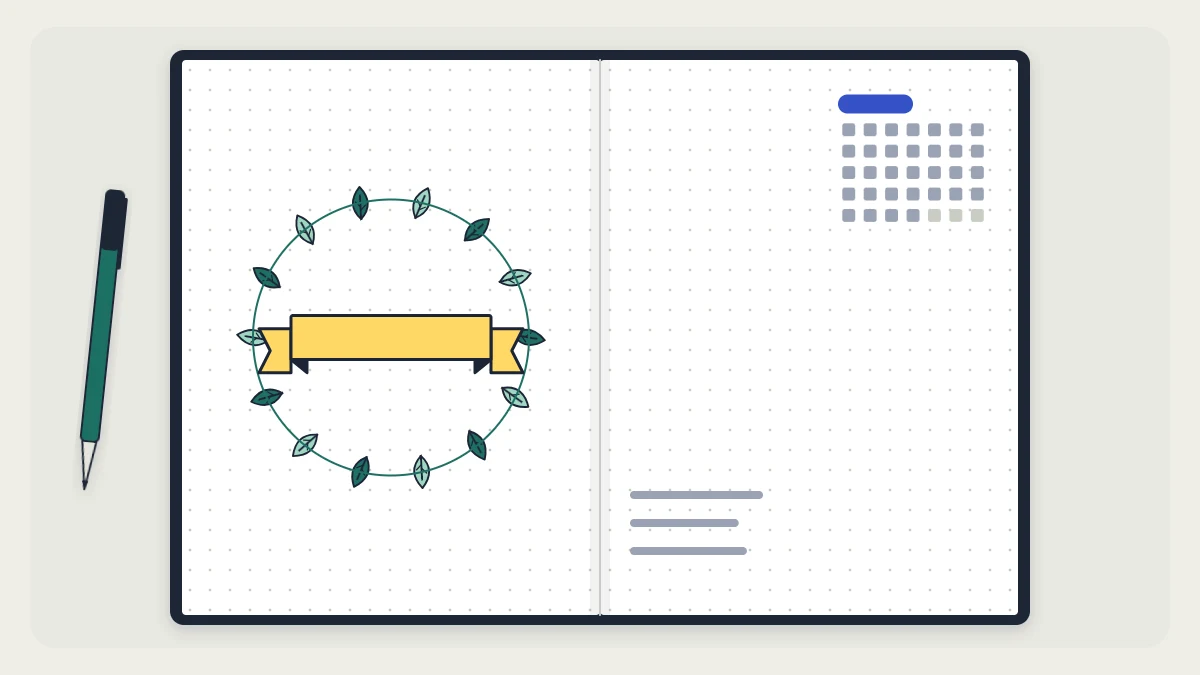
2. Banner above a mini calendar
This one is the most practical of the five, since the page doubles as a reference. Draw a long rectangle about 16 squares wide and 3 squares tall in the upper third of the page, then add a small folded tail at each end to turn it into a ribbon. The step-by-step version is in the article on header styles that do not need calligraphy.
Center the 7-by-7 mini calendar a few squares below the banner. Put one number in each square and use the dots as your guide instead of ruling a grid; the result looks lighter and takes less time.

3. Botanical corner
A corner of leaves frames the page without filling it. Start in the bottom-left corner and pencil two or three curved stems that fan up and outward, the longest reaching about a third of the way up the page. Add leaves in pairs along each stem. Every leaf is the same shape: two curved lines that meet in a point at both ends, with one line down the middle.
Ink the stems first, then the leaves, then erase the pencil. Color only some of the leaves so the corner stays light. The month name goes in the open space toward the top right. For more small shapes that work in a corner, see the collection of simple doodles made from basic shapes.
Tip
Turn the notebook as you draw leaves so your hand always pulls the curve toward you. The leaves come out more even than when you push the pen away.
4. Sunburst lines
Draw a circle about 2 inches (5 cm) across in the middle of the page. Tracing a roll of tape or a small jar lid is quicker than using a compass. The month name, or just its first three letters, goes inside the circle.
Now add rays around it with a ruler. Mark twelve points around the circle like the hours on a clock face, leave a gap of 1 square between the circle and the start of each ray, and alternate the lengths: 4 squares, then 2 squares, all the way around.
5. Layered rectangles with washi tape
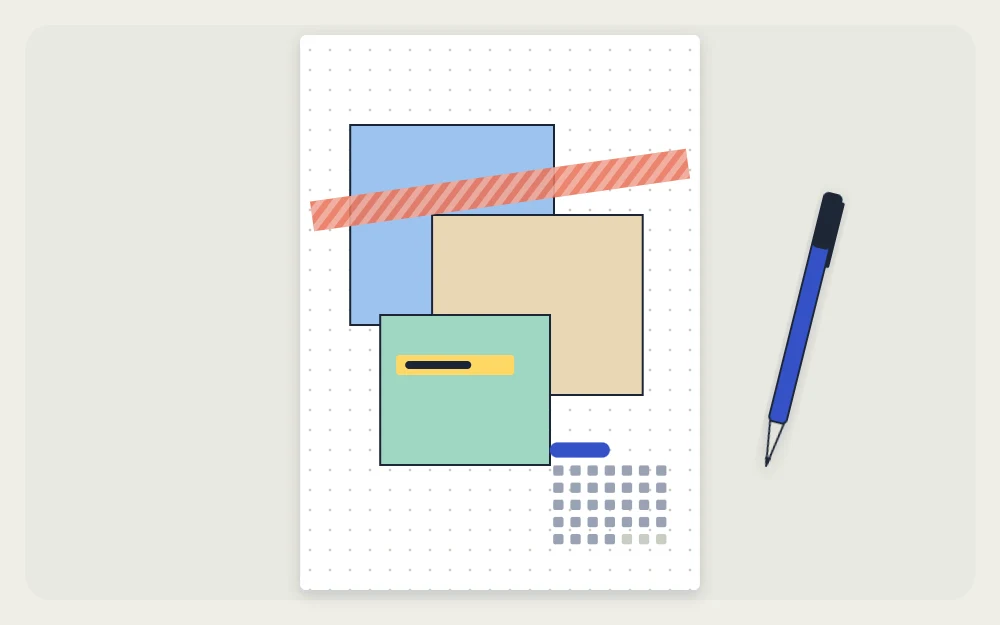
Three overlapping rectangles look like sheets of paper laid on top of each other. Draw the front rectangle first, complete, about 12 squares wide and 14 tall. Then draw the second one behind it, offset up and to the right, inking only the parts that would show. Do the same for a third, offset down and to the left. Fill each with a different color or a simple pattern such as dots or diagonal lines, and leave the front one plain for the month name.
Finish with a strip of washi tape across one corner of the stack, as if it were holding the sheets down. A mini calendar fits neatly in the bottom corner of the page.
How to choose between them
| Concept | Rough time | Tools beyond a pen |
|---|---|---|
| Geometric blocks | About 5 minutes | Ruler, two colors |
| Banner and mini calendar | About 10 minutes | Ruler |
| Botanical corner | About 10 to 15 minutes | Pencil, one color |
| Sunburst lines | About 10 minutes | Ruler, something round |
| Layered rectangles | About 10 minutes | Ruler, washi tape |
If a month starts and you have no time at all, write the month name in a box at the top of the monthly log and move on. A skipped cover changes nothing about how the rest of the journal works.
Frequently asked questions
Do I need a cover page for every month in a bullet journal?
No. A cover page is a divider and a bit of decoration, and the method works the same without one. If you are short on time, write the month name at the top of your monthly log and start there. You can add covers in some months and skip them in others.
How big should a mini calendar be on a cover page?
On a 5 mm dot grid, plan a block 7 squares wide and 7 squares tall: one row for the day initials and up to six rows for the dates. That is about 1.4 inches (3.5 cm) on each side, small enough to sit in a corner or under a banner.
What if my handwriting is not good enough for a cover page title?
Let the shapes do the work. Write the month in plain capital letters two squares tall, using the dots to keep the letters level, and place it inside a box, block or banner. Penciling the word first and inking it afterward lets you fix spacing before it is permanent.