Monthly Log Layouts: List, Grid and Other Formats Compared
Four monthly formats side by side: the classic day list, the calendar grid, week-by-week columns and a timeline strip. A pros and cons table helps you choose by how many dated events you have.

Monthly log layouts all answer the same question, what is happening this month, but they answer it in different shapes. A list, a grid, a set of columns and a strip each make some things easy to see and hide others.
The right one depends less on taste than on how many dated events you have and how much you need to write about each. This comparison covers four formats, with their strengths, their limits and a way to choose between them.
What a monthly log has to do
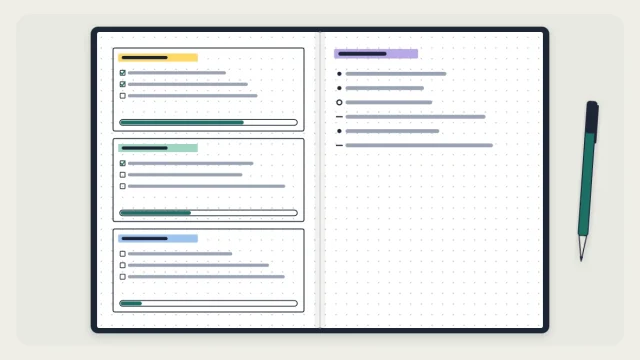
Whatever its shape, a monthly log has two jobs. The first is to hold dated items: appointments, deadlines, birthdays, trips. The second is to hold the month’s tasks, the things to get done at some point before the month ends.
Most layouts give these two jobs separate areas, a calendar part and a task part. At the start of each month, the calendar part is filled from the future log, and the task part is filled with whatever is still open from the month before.
The classic vertical day list
This is the format from the original method. Write the dates of the month down the left edge of a page, one per row, with the first letter of the weekday beside each. A month of 31 days uses 31 rows, which fits on an A5 dot-grid page of about 38 rows with space left for a title. Count your own page to be sure. The facing page holds the task list.
Each date gets one line roughly 20 squares long, enough for one or two short items. Setup takes about 5 minutes and needs no ruler.
The list reads like a timeline, top to bottom. What it does not show is the shape of the weeks, so it helps to leave a small gap or draw a short line after each Sunday.

The calendar grid
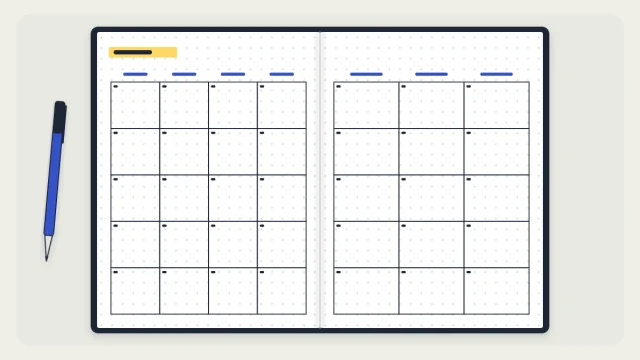
A grid has seven columns for the weekdays and five or six rows for the weeks, the same shape as a wall calendar. Spread across two A5 pages, each cell is about 6 squares wide and 6 tall; on a single page, the cells shrink to about 3 squares wide.
The grid is a familiar format to read. Weeks and weekends are visible at once, and a three-day trip shows up as three cells in a row. The costs are setup time, roughly 30 minutes with careful counting, and cells that sit empty in quiet months. The step-by-step guide to setting up a monthly spread has the square counts.
Week-by-week columns
Divide a page, or a two-page spread, into vertical columns, one for each week of the month. Inside each column, list that week’s dates from top to bottom with a few rows under each.
On a page 26 squares wide, four columns of 6 squares fit with a margin on each side; a fifth week goes on the facing page beside the task list. With 5 rows per day, a week uses 35 rows.
This format sits between the list and the grid. Each day has several lines instead of one, and each week is a clear block, which makes it easy to copy a column’s contents into a weekly spread. The columns are narrow, about 1.2 inches (3 cm), so entries have to be brief.
The timeline strip
Turn the notebook sideways and draw one long horizontal band divided into a segment for each day. Under the band, draw bars that span the days an activity covers: a trip, a project phase, a visit from family.
The long edge of an A5 page has about 38 squares, so 1 square per day fits a 31-day month with room for labels at the left.
A strip is the best of the four for anything that lasts several days, and it is the same idea as a Gantt chart on a small scale. It is the weakest for single appointments, because a 5 mm segment has no room for writing. Use it alongside a list, not as a replacement for one.
Pros and cons at a glance
| Format | Strengths | Limits | Rough setup time |
|---|---|---|---|
| Vertical day list | Fast, no ruler, reads top to bottom | One line per day; weeks not obvious | About 5 minutes |
| Calendar grid | Weeks and weekends visible; familiar shape | Small cells; the most drawing | About 30 minutes |
| Week columns | Several lines per day; clear weekly blocks | Narrow columns | About 15 minutes |
| Timeline strip | Shows multi-day spans and overlaps | No room for single entries | About 15 minutes |
Choose by the number of dated events
Count the dated items in last month’s log, or in your calendar if this is your first month. Then use that number as a rough guide:
- Fewer than 10 dated events. The vertical day list is enough. Most rows stay blank, and a blank row costs nothing.
- About 10 to 25, mostly single appointments. A calendar grid shows how they fall across the weeks and where two land on the same day.
- More than 25, or several per day. Week-by-week columns give each day the lines it needs.
- Several multi-day items. Add a timeline strip beside whichever format you chose.
These thresholds are a starting point, not a rule. Handwriting size matters too: larger writing pushes you toward the list or the columns sooner.
Tip
Keep the same format for at least two months before switching. The first month shows whether the layout is clear; the second shows whether you still open the page.
What to put on the facing page
A list or a one-page grid leaves the facing page free. The standard use is the month’s task list, but the page can also be divided into two or three boxes: tasks, goals for the month and loose notes.
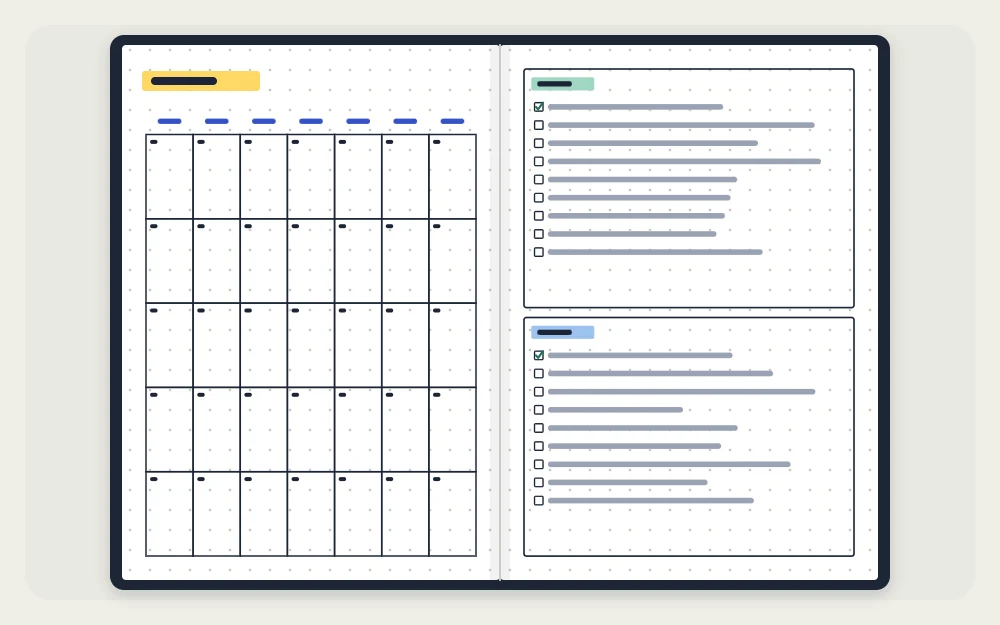
Goals deserve a little structure of their own, since a goal usually breaks into several tasks, and the article on the monthly goals page covers one way to lay that out.
At the end of the month, review the task list and choose what moves forward, a step described in the guide to bullet journal migration. Look at the calendar part too: crowded days suggest a format with more lines per day next month.
Frequently asked questions
What is the difference between a monthly log and a monthly spread?
They are the same thing in practice: the pages that give an overview of one month. Monthly log is the term from the original method and usually suggests the list format, while monthly spread is often used for a calendar grid across two pages.
Can I use two monthly formats together?
Yes. A practical pairing is a day list or grid for appointments with a timeline strip for anything that spans several days. Keep each item in only one place where possible, so you do not have to update two pages when a date changes.
Which monthly layout is fastest to set up?
The vertical day list. You write the dates down one edge of the page with a weekday letter beside each, which takes about five minutes and needs no ruler. The calendar grid takes the longest because the columns and rows have to be counted and ruled.