7 Weekly Spread Layouts for Your Bullet Journal
Seven weekly layout structures, from vertical columns to a timeline strip, each with square counts for an A5 dot grid and a note on the kind of week it suits.

Most weekly spread layouts are built from the same few parts: seven day areas, a place for loose tasks, and sometimes a strip for notes or a small tracker. What changes is how those parts are arranged, and the arrangement decides whether a page suits a week full of appointments or a week full of to-dos.
The seven layouts below are described by structure, with square counts for a 5 mm A5 dot grid of about 26 squares across and 38 down. Notebooks vary, so count your own page first and treat the numbers as a starting point. Each count assumes a 1-square margin on both sides, which leaves 24 squares of width and about 36 usable rows.
How to choose a layout
Look back at last week before you pick. Two questions settle most of it: do your days hold mostly timed events or mostly tasks, and do your tasks belong to a specific day or only to the week?
Timed events read best in tall columns, where the hours can run from top to bottom. Tasks read best in wide rows, where a whole sentence fits on one line. Tasks without a day need a list that sits outside the day areas altogether.
Layouts built on columns and rows
1. Vertical columns
Divide each page into four columns of 6 squares. That gives eight columns across the spread: seven for the days and one for notes. A variation uses the eighth column for a task list and runs a notes strip about 5 squares tall along the bottom of both pages.
Columns are narrow, roughly 1.2 inches (3 cm) each, so entries need to be short. In return you get a lot of height, which suits anyone who writes the day in time order, from morning at the top to evening at the bottom.
2. Horizontal rows
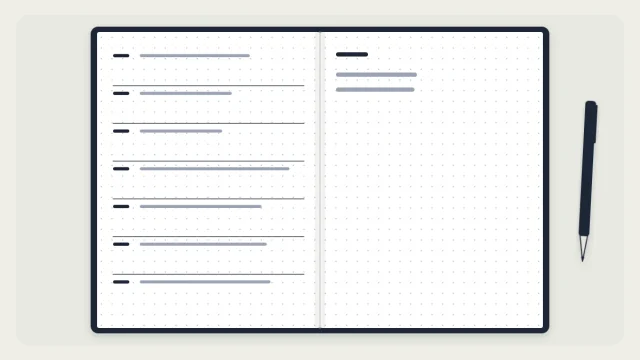
Stack four rows of 9 squares on each page. Monday to Thursday sit on the left page, Friday to Sunday on the right, and the last row is for notes. Every line is 24 squares long, enough for a full task description without abbreviating.
This is the quickest of the seven to draw, since each page needs only three dividing lines. It suits task-heavy weeks and larger handwriting.

Layouts with a side panel
3. Sidebar plus days
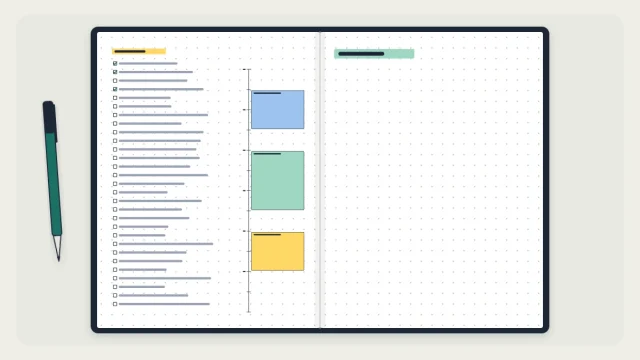
Rule off a sidebar 7 squares wide down the left edge of the left page. Leave 1 square as a gap, then stack three day rows of 12 squares in the remaining 16 squares of width. The right page takes four rows of 9 squares: three more days and a notes row, or four days if you split the weekend.
The sidebar holds whatever applies to the whole week: a mini calendar of the month, a short list of priorities, or a small tracker. A few rows of seven circles are enough for that, and the guide to habit tracker layouts covers the weekly mini version.

4. Boxes plus notes
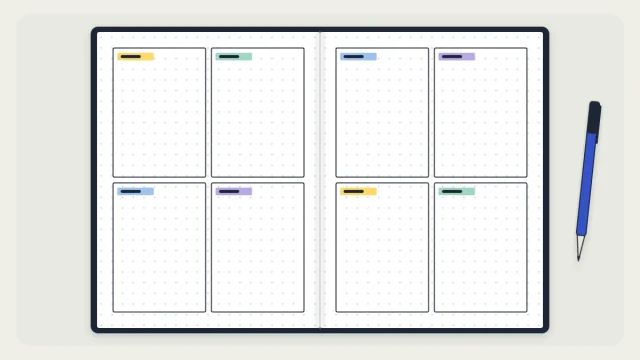
Draw a two-by-two grid on each page for eight equal boxes of about 12 by 17 squares. Seven hold the days and the eighth becomes a notes panel. Boxes are a middle ground: wide enough for a readable line and tall enough for a dozen or more entries.
This is a common first layout, and the simple weekly spread tutorial walks through drawing it square by square.
Layouts that separate tasks from days
5. One-page week with a running task list
Put the whole week on the left page as seven rows of 5 squares, and use them only for events and fixed commitments. The right page becomes one continuous task list for the week, written in the order tasks occur to you.
It suits weeks where most tasks could happen on any day. Instead of copying an unfinished task from Tuesday to Wednesday to Thursday, you write it once and mark it with an X when it is done.
6. Split work and home
Draw seven rows of 5 squares that run straight across both pages, with the day label in the left margin. The left page holds work entries and the right page holds home entries, so each day reads as one line across the fold.
The split keeps two sets of commitments visible side by side without mixing them. Any two categories work: classes and a part-time job, or one main project and everything else.
7. Timeline strip
Run a band 6 squares tall across the top of both pages and divide it into eight segments of 6 squares: seven days plus one for next week. Events and deadlines go in the strip. Everything below it stays open, with a task list on one page and notes on the other.
Choose it when a day rarely holds more than two or three dated items and most of your writing is lists, sketches or project notes.
The seven layouts compared
| Layout | Suits | Lines to draw |
|---|---|---|
| Vertical columns | Timed, appointment-heavy days | Moderate |
| Horizontal rows | Long task descriptions | Few |
| Sidebar plus days | Weekly priorities or a tracker | Moderate |
| Boxes plus notes | A balanced mix; first spreads | Few |
| One-page week with task list | Tasks with no fixed day | Few |
| Split work and home | Two separate sets of commitments | Moderate |
| Timeline strip | Few events, many notes | Few |
Test a layout before you commit
Draw the layout in pencil and use it for two weeks before judging it. One week can be unusual; two show a pattern. Then change one thing at a time, such as the row height or the position of the notes area, so you can tell which change helped.
If every layout feels like too much ruling, the minimalist weekly spread strips the structure down to a few lines. If a week keeps overflowing no matter how the boxes are arranged, a page per day may fit better, and the guide to the bullet journal daily log explains how to set one up.
Tip
Note the square counts for a layout you like on the last page of your notebook. Next time, you can redraw it without counting from scratch.
Frequently asked questions
Which weekly spread layout is best for beginners?
Eight equal boxes, four per page, is the easiest place to start because it needs few lines and gives every day the same space. Horizontal rows are even faster to draw. Use either for two weeks, then adjust based on which areas overflow or stay empty.
Should a weekly spread start on Monday or Sunday?
Either works. Match the calendars you already use so dates are easy to copy across. A Monday start keeps Saturday and Sunday next to each other, which helps when weekend plans span both days. Whichever you choose, keep it the same in your weekly and monthly pages.
Can I fit a weekly spread on one page?
Yes. Seven rows of about 5 squares fit on one A5 dot-grid page and leave the facing page free for a task list or notes. Each day gets only four or five lines, so this works best when most of your tasks are not tied to a particular day.