Bullet Journal Index: How to Set It Up and Keep It Useful
How to set up a bullet journal index: how many pages to reserve, what to log and what to skip, plus grouped and color-coded versions and the basics of threading.

A bullet journal index is the table of contents you build as you go. It sits at the front of the notebook and records what is on which page, so a packing list written in March can be found in seconds in October.
It takes a few minutes to set up and a few seconds to maintain. The parts that need thought are how much room to give it and which pages deserve a line.
What the index is for
A bullet journal is not divided into sections in advance. You use the next free page for whatever comes next, which means a book list can land between two weeks of daily logs and a project plan can start 40 pages after the notes that led to it.
The index is what makes that freedom workable. Pages can sit in any order, because the index tells you where each topic lives. Without it, you are left flipping through the notebook and hoping to recognize a header.
How many pages to reserve
Reserve the index before you write anything else, because you cannot add pages at the front later. As a rule of thumb:
- Two pages for a notebook of up to about 120 pages, or one used mostly for daily logs.
- Four pages for a thicker notebook, or if you expect many collections and trackers.
Each index entry takes one line. A typical A5 dot-grid page has roughly 38 rows, though you should count your own, so two pages hold around 70 entries when you write on every row. That is more than most notebooks need.
If the index does fill up, continue it on the next free spread and write “Index continued: p. 96” on the last line of the original.
Page numbers come first
An index only works if every page has a number. Some notebooks have them printed. If yours does not, write a small number in the bottom outer corner of each page, either all at once or a few spreads ahead as you go.
Keep the numbers in the same corner throughout, so your thumb can find them while flipping. Count the first right-hand page as page 1; left-hand pages then carry even numbers.

The full first-evening sequence, including numbering, is in the guide on how to start a bullet journal.
What to log and what to skip
Write each entry as a topic followed by its page numbers: “Future log: 4–5” or “Gift ideas: 31”. Log anything you will want to find again:
- the key and the future log
- each monthly log, by month name
- collections such as lists, plans and reference pages
- trackers and project spreads
- notes from a class, meeting or trip that fill a page or more
Skip anything that would only add noise:
- Individual daily logs. Give each month one line with a page range instead, such as “March: 24–41”.
- Single weekly spreads. They fall inside the month’s range already.
- Abandoned pages. A layout you stopped using does not need a line.
When a topic continues on pages that are not next to each other, add the new number to the existing line rather than writing a second entry: “Book list: 18, 52, 77”. Leave some space at the end of a line for any topic that is likely to grow.
Grouped and color-coded variations
The plain index is one running list in page order. It is quick to keep, but in a busy notebook the collections get buried between month names. Two small changes help.
A two-column index
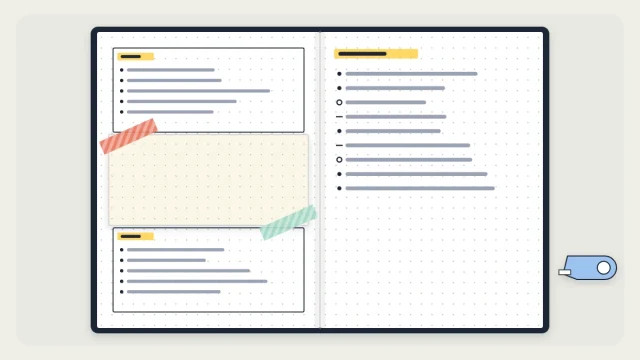
Draw a vertical line down the middle of each index page, or use the left page for one group and the right page for the other. Put the months and other dated logs in the first column and the collections in the second. Looking for a list now means scanning half as many lines.
A colored dot per category
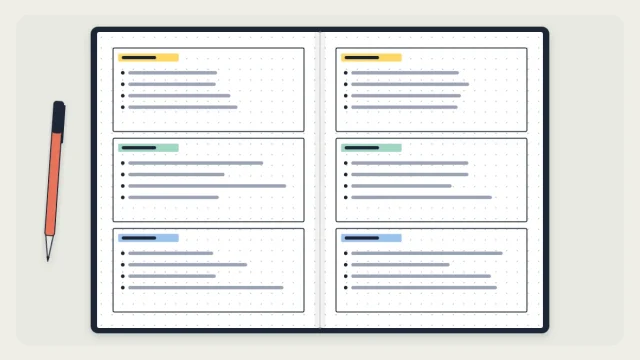
Choose three or four categories, for example home, work, study and personal projects, and give each a color. Draw a small dot in that color in front of every index row. Note the colors in your bullet journal key so the code stays consistent.

Tip
Decide on the grouped format before you write the first entry. Converting a running list into columns halfway through a notebook means rewriting the whole index.
Threading basics
Threading links the scattered parts of one topic directly, page to page, so you do not have to return to the index each time.
Say your book list starts on page 18 and continues on page 52. Next to the page number on page 18, write “→ 52”. Next to the page number on page 52, write “18 ←”. Each page now points to the next part and back to the previous one.
The same idea works across notebooks. Number your notebooks and write the volume first: “2.18” means page 18 of notebook 2. This is useful for long-running bullet journal collections that you do not want to copy out again.
Keeping the index up to date
An index fails in only one way: entries stop being added. Two habits prevent that.
- Index a page the moment you title it. Write the header, check the page number, flip to the front and add the line. It takes about ten seconds.
- Check the index at each monthly review. When you set up a new month and carry tasks forward during migration, flip through the past month’s pages and add anything missing.
Close each month’s line at the same time. While a month is running, write “April: 42–” and fill in the last page number when the month ends.
If you fall behind, it is easy to catch up. Page through the notebook from the last indexed page, reading only the headers, and add what you find.
Frequently asked questions
How many pages should a bullet journal index have?
Two pages are enough for most notebooks, since each page holds dozens of one-line entries. Reserve four if the notebook is thick or you plan to keep many collections. If you run out anyway, continue the index on a later spread and note that page number at the end of the original.
Do daily logs go in the index?
Not one by one. Listing every day would fill the index with lines you never look up. Give each month a single entry with the page range that contains its monthly log, weekly spreads and daily logs. Add separate lines only for pages you expect to search for by topic.
What happens if you forget to update the index?
Catch up in one pass. Start from the last page you indexed and flip forward, reading only the headers and adding a line for each topic. Doing this at the end of every month, when you set up the next monthly log, keeps gaps small and quick to repair.